Pivotal
Pivotal is a data analysis language for Python. It offers a concise syntax for common data operations that compiles to Pandas, Polars or DuckDB code. With comprehensive JupyterLab and VS Code support (syntax highlighting, autocomplete, interactive viewer and GUI controls) Pivotal provides a friendly entry point to the Python data ecosystem.
load "daily_climate.csv" as climate
load "crop_data.csv" as crops

python grow_min = 8; grow_max = 32; crop_season = [4, 10]

with climate as climate_features
    year = year(date)
    month = month(date)
    filter month between :crop_season
    grow_degrees = (max_temp + min_temp) / 2 - :grow_min
        where max_temp < :grow_max and min_temp >= :grow_min
        else 0
    group by year, region
        agg sum grow_degrees as gdd, sum rain as grow_rain

with crops as training_data
    filter crop_type == "wheat" and area > 0
    yield = production / area
    inner merge climate_features on year, region
    select year, area, yield, gdd, grow_rain, region

python
    from sklearn.linear_model import LinearRegression
    X = training_data[["year", "area", "gdd", "grow_rain"]]
    training_data["yield_hat"] = LinearRegression().fit(X, training_data["yield"]).predict(X)
end

with training_data
    pivot plot line nat_pred_vs_actual
        x year "Year"
        y wmean yield area, wmean yield_hat area "Wheat yield (t/ha)"
import pandas as pd
from sklearn.linear_model import LinearRegression

grow_min = 8; grow_max = 32; crop_season = [4, 10]

climate = pd.read_csv("daily_climate.csv")
crops = pd.read_csv("crop_data.csv")

climate_features = climate.copy()
climate_features["year"] = pd.to_datetime(climate_features["date"]).dt.year
climate_features["month"] = pd.to_datetime(climate_features["date"]).dt.month
climate_features = climate_features[
    climate_features["month"].between(crop_season[0], crop_season[1])
].copy()

climate_features["grow_degrees"] = 0.0
mask = (
    (climate_features["max_temp"] < grow_max)
    & (climate_features["min_temp"] >= grow_min)
)
climate_features.loc[mask, "grow_degrees"] = (
    (climate_features.loc[mask, "max_temp"] + climate_features.loc[mask, "min_temp"]) / 2
    - grow_min
)

climate_features = (
    climate_features
    .groupby(["year", "region"], as_index=False)
    .agg(
        gdd=("grow_degrees", "sum"),
        grow_rain=("rain", "sum"),
    )
)

training_data = crops.copy()
training_data = training_data[
    (training_data["crop_type"] == "wheat") & (training_data["area"] > 0)
].copy()
training_data["yield"] = training_data["production"] / training_data["area"]

training_data = (
    training_data
    .merge(climate_features, on=["year", "region"], how="inner")
    [["year", "area", "yield", "gdd", "grow_rain", "region"]]
    .copy()
)

X = training_data[["year", "area", "gdd", "grow_rain"]]
training_data["yield_hat"] = LinearRegression().fit(X, training_data["yield"]).predict(X)

plot_data = (
    training_data
    .groupby("year", as_index=False)
    .apply(
        lambda g: pd.Series({
            "yield": (g["yield"] * g["area"]).sum() / g["area"].sum(),
            "yield_hat": (g["yield_hat"] * g["area"]).sum() / g["area"].sum(),
        })
    )
    .reset_index(drop=True)
)

plot_data.plot(x="year", y=["yield", "yield_hat"], kind="line", xlabel="Year", ylabel="Wheat yield (t/ha)")
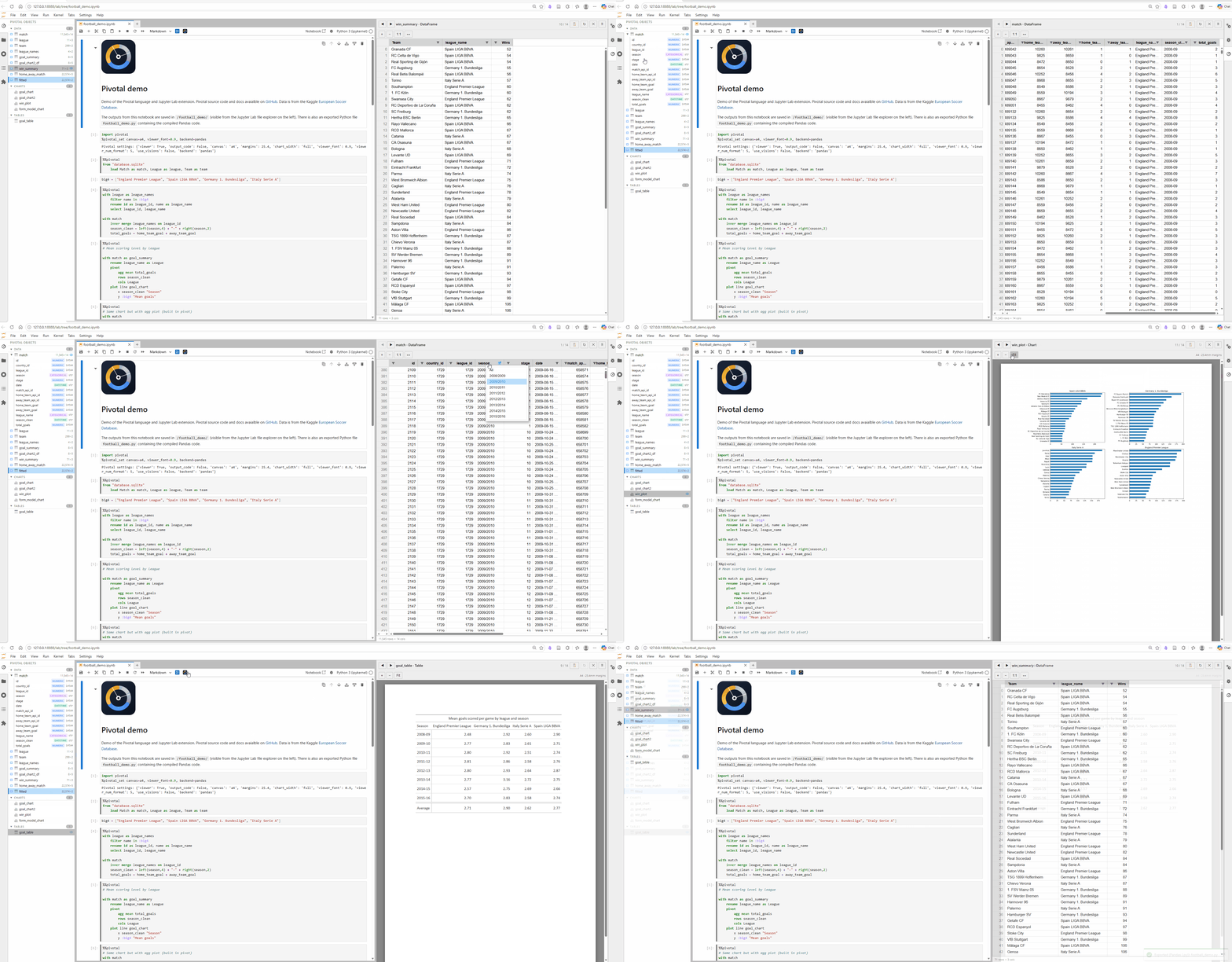
A live-demo of Pivotal in Jupyter Lab is available via Binder:
Key features
Readable, writable syntax — write data transformations in a concise declarative syntax that feels familiar to SQL and Pandas users
Multiple backends — compile to Pandas, Polars, or in-process DuckDB SQL
JupyterLab and VS Code integration — syntax highlighting, autocomplete, %%pivotal cell magic, interactive object viewer and explorer, and GUI controls
AI support — ask an LLM or coding agent to generate, run, verify, and compare Pivotal code via the Pivotal MCP server
Comprehensive data pipelines — build full workflows with data-quality checks, pipeline functions, column loops, and loadable config / metadata values
Plotting and tables — create charts and publication-ready tables with simple syntax, backed by matplotlib and Great Tables
Data packages — export DataFrames, charts, and tables to a single Frictionless data package
Python integration — call Python functions, load Python variables, and mix Pivotal and Python code as needed
Install
This installs the full feature set — Pandas, Polars, DuckDB, Great Tables.
For a minimal Pandas-only install:
Quick example
Next steps
- Getting Started — installation and first steps
- User Guide — task-based DSL documentation
- Syntax Reference — exact command forms and options
- Backends — pandas, Polars, DuckDB, and SQL
- JupyterLab — cell magic, viewer, and export
- VS Code — editor integration